1. Choose
Select the folder you want to watch.
Free Folder Monitor for Windows
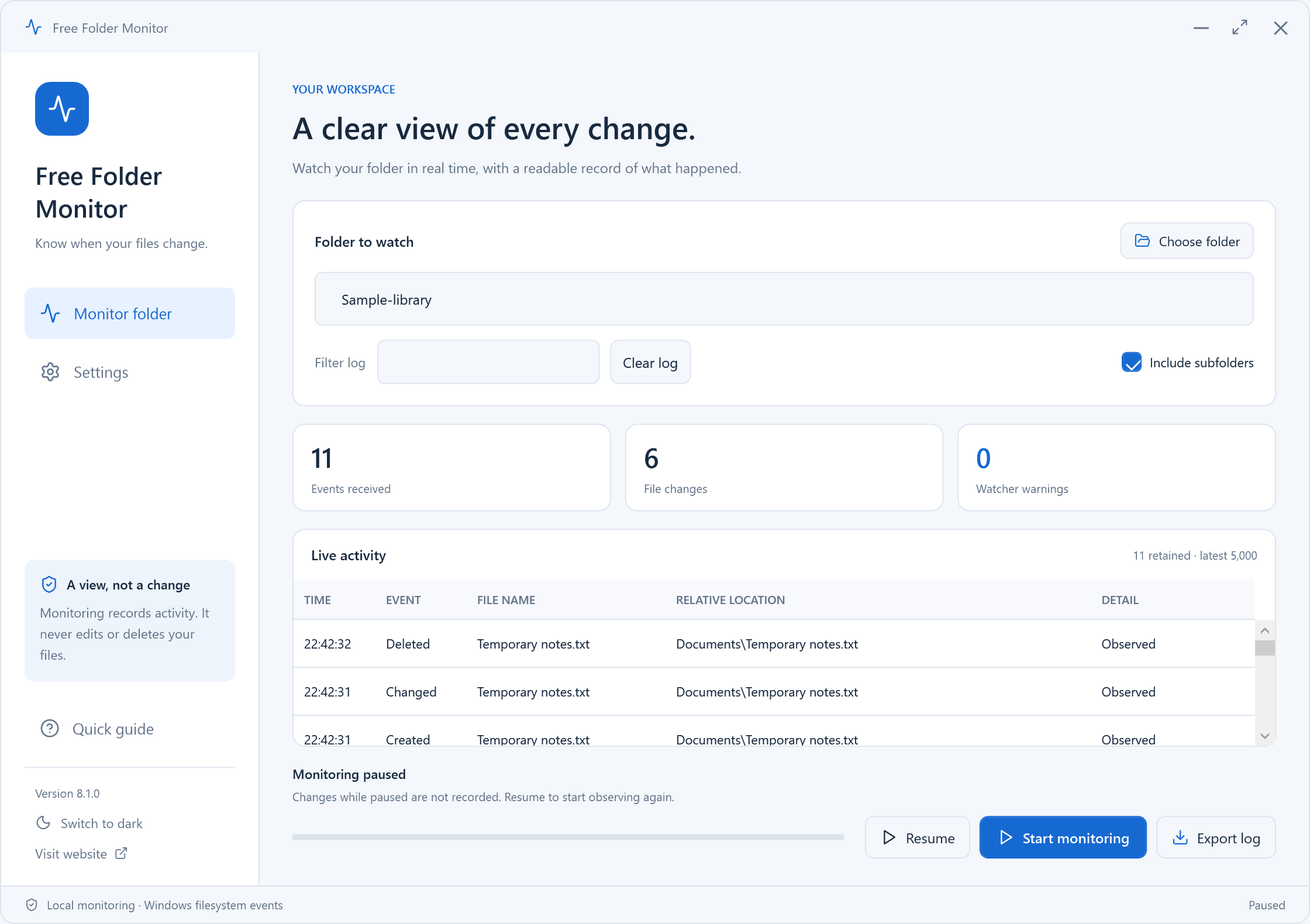
Watch a local folder for new, changed, renamed and deleted items. Filter the live activity and export the retained events to CSV.
Version 8.1.0 · Windows 10/11 · 64-bit · 11.3 MB
 View original screenshot
A Clear Workflow
Choose your files or settings, review your choice, then start.
Select the folder you want to watch.
Start watching changes, including subfolders when selected.
Review the activity and export retained events to CSV.
Built Around Your Task
Follow live changes in a selected location and keep a useful record of the events you captured.
Read The Step-by-Step GuideSee create, change, delete and rename notifications from Windows.
Filter the displayed events, or pause monitoring while you review them.
Export captured events for your own review or troubleshooting.
Monitoring watches supported local folders while running. Pause stops the watcher; changes made while paused are not captured. The app retains up to 5,000 events. Heavy activity or Windows notification overflow can cause missed events. UNC network paths are not supported.
Your Workspace, Your Choice
Start in dark mode or switch to light. Your theme is remembered.
View original screenshotDark theme · Actual Windows interface · Click for the original PNG
 View original screenshot
Light theme · Actual Windows interface · Click for the original PNG
Practical Help
Watch a folder, review live file events and export a useful CSV activity log.
Monitoring is live and best-effort; it is not a complete historic or forensic audit trail.
Check inputs, access and cancellation before trying again.
Questions, Answered
Straight answers about the current version and its limits.
No. It watches new notifications while running. It does not reconstruct a historical activity log from the drive.
Yes. Choose recursive monitoring for supported folders beneath the selected path.
No. The log records file events and paths. It is not a backup and cannot restore deleted content.
Yes. CSV export includes all currently retained events, up to 5,000, regardless of the current view filter. Treat exported paths and filenames as potentially private information.
No. Applications and Windows may combine notifications, and high-volume activity can overflow buffers. The app reports diagnostics where available; it is not a forensic audit system.
Pause stops the watcher. Events that happen while paused are not captured or reconstructed when you resume.
Free Windows Download
Free Folder Monitor 8.1.0 · Windows 10/11 (64-bit)
Download Free for WindowsNo account needed to use the app. Installation details · Source & licenses